Telling Stories
User stories are the backbone of agile’s todo-list-driven development model. Whether you use kanban, scrum, xp, or any hybrid, user stories are the basis for communicating what you want to build to the people who will build it.
I’m not going to talk about how to write a good user story. I mean, I love talking about that, and I’m sure I’ll write a long article about it someday, but for this post I want to take a step back and talk about at how to use them.
What’s in a story? #
Most training on user stories tells you to write something like this:
As a [type of user] I can [do something] so that [I can get some value].
That’s a powerful structure. It puts the focus on your users and the value they get out of using the feature you want to build. It narrows your scope to a manageable piece of work that should be (relatively) easy to complete. And it gives you a simple foundation on which to build your spec.
But if that’s all you’re using them for, you’re missing the forest for the trees.
Choose your own adventure #
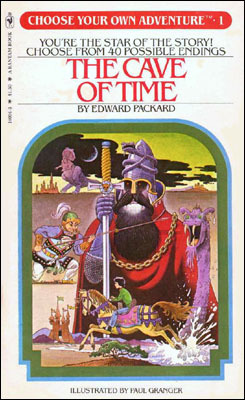
When you build software, you don’t have a blueprint to follow. Sure, you have parts of a blueprint: how to create a database table, how to build a file uploader, etc. But the end result, the exact combination of business rules and UX that you are pulling out of thin air, has never existed before in the history of the world!
So if you’re building something that never existed, how do you get there?
If you follow Waterfall methods, you spend a lot of time up front writing a spec. Then you start building, things start drifting off your planned path, the spec and roadmap get further from reality, but everyone still tries to follow it. And way too often, the project flounders.
With a Scrum/XP approach, you get someone to be the voice of your users and customers. That person (the Product Owner or whatever you call him) is the spec. User stories are a tool for controlling the flow of work from his head to the dev teams so you end up with something that solves the right problem at the right time and can be accomplished with the people available.
Telling Stories: From Shakespeare to Software #
Writing user stories is a creative process. You create all these little vignettes and blend them together into a cohesive experience. And you can use a lot of techniques from creative writing as well.
Just like in good literature, story arcs are a great way to tie pieces of your system together. They help you identify general user experiences at the feature level and from there you can identify the individual user stories to pull out. You might call these Themes or Epics, but all stories have an implicit arc to them.
Looking at stories as an arc of events with exposition (How did I get here?), rising action (How do I do what I want?) and climax/denoument (What do I get for my efforts?) makes it easier for your team to relate to the user’s experience. That means you’ll have more meaningful feedback on your stories, and better engagement from the team during grooming.
Another thing I love about story arcs is that they help you describe the context in which your users are making decisions. Airbnb has a great example of using storyboards - essentialy a story arc with pictures - to help visualize the “frames” of the customer experience they were trying to serve.
Maximize the work not done #
When you have a context for decisions, you ask different questions. Instead of “How do we build this?” you ask “Is this the right thing to build?” That scares some Product Owners who are used to traditional boss/worker relationships. And it scares some developers who are used to being told what to do. But a core tenet of Toyota Manufacturing, from which agile principles are descended, is that anyone can, and should, stop the assembly line if they spot a problem so it can be fixed early. That might mean solving the problem in a different way, or not solving the problem at all. Remember, you want to maximize the amount of work not done.
Story arcs are great for breaking work down into smaller deliverables. You define the main (usually happy-path) way you want the user to accomplish their task, and start identifying alternate routes and edge cases, which are ideal candidates for enhancement stories.
As an example of this rule of thumb, I almost always make validation rules an enhancement story. Even if it’s a very small story, it’s easy to encapsulate with all of the automated tests and code logic easily broken out into a small block.
Splitting out validation lets me get the happy path case (user enters perfect data) verified and tested and demo-able much faster. And I usually break out the validation when I’m taking a story into a sprint (you continue to break stories down as you get closer to working on them, right?) so I don’t carry the administrative overhead of having multiple stories for too long. Having a user input without validation is not always something I want to release to production, but I can if I decide that validation is less important than other things. Now users (testers, product owners, UX) can look at the big picture experience earlier, which leads to a better system, and more unnecessary work that doesn’t need to be done in the first place.
A question I often hear from teams new to agile is “how detailed should our user stories be?” Well, at what level of detail do you want to tell people not to do something? A really effective way to identify what not to do is to create a story for it, talk about it in grooming, and say that you’ll prioritize it seperately. Maybe you’ll never do it. But you called it out, and now the team knows that it’s on someone’s radar. Write your stories at the level of detail you want to manage the flow of features into the finished system.
That flow control aspect of user stories is incredibly powerful. It’s what you use when you prioritize your backlog of stories, or epics, or features, or themes. At each of those levels, use the right level of detail in your stories to have the right conversations to control the flow of effort. How much detail is that? Take chances, make mistakes, get messy. Try it out and see what works for your team.
Personally, I like to break stories down into pieces that can be completed within a few minutes or hours. It makes writing acceptance criteria easier, because there are only a couple of them. Development is easier because there is less to do with each story. QA is faster because there is less to test. All of that is focused on keeping WIP down and identifying bottlenecks. Sure, you have a lot more stories, but they flow through the system faster, the communication for each one is much simpler and it’s far easier to spot bottlenecks and route around them. Smaller stories give you a much higher overall utilization (less time waiting for something useful to do), but you need the infrastructure to support them.
There’s another benefit to using smaller stories.
Rapid prototyping #
Use stories are cheap. It doesn’t take much time to write 1-2 sentences to describe a piece of functionality. You don’t need high resolution designs, or UX studies, or tech spikes to talk about what you want to build, just a few minutes to jot down some ideas and start piecing them together.
The best way to have a good idea is to have a lot of ideas. - Linus Pauling
There is no right way to build a feature. This isn’t a grade school math test, where 1 + 1 always equals 2. Every choice you make is a tradeoff that will make some customers happier, some less so. Your choices combine with a hundred other decisions you’ve made to make it very hard to tease out cause and effect, even with good statistical analysis tools to help you.
Improve your odds by coming up with multiple ideas and vetting those when it’s cheapest. Fail fast. The structure of user stories helps you figure out what you’re going to do in the first place. Iterating on different versions of a feature raises different questions and helps you get to a better guess. Don’t spend 2 weeks deciding which color button is best for your login form, but do spend 2 weeks prototyping a key feature of your system with user stories before you spend months building it (you’ll probably have small pieces that you can slice off before those 2 weeks are up anyway).
Prototyping with user stories helps you define the problem as much as it defines the solution. Knowing what you are and are not solving gets people on the same page. You’ll know your target market segment better, and can provide that context for all the decisions that developers will be making as they build the software. It all comes back to transparency and alignment.
It’s a creative process #
So play with your stories. Move them around. Break them down in different ways. Try to package the most value in the minimum amount of effort. Internalize a gut feeling for how much effort it takes your team to build something so you can plan on your own.
Individual stories are really cheap to write. It’s one sentence. Use that low cost to come up with multiple plans for implementing larger features and see which fits best. Run your ideas by the team, and come prepared.
I have not failed. I’ve just found 10,000 ways that won’t work - Thomas Edison
Most of all, remember that there is no “right” answer. Take your best guess, measure the impact and adapt to new knowledge. You’re going to miss.
A lot.
And that’s ok. Pick yourself up and figure out how to get closer the next time. Fortunately, the next time is only a sprint or two away.